T7-US Thermal Printer with RS232 Interface on Raspberry Pi 4
T7-US Thermal Printer with RS232 Interface on Raspberry Pi 4
T7-US Thermal Printer with RS232 Interface on Raspberry Pi 4
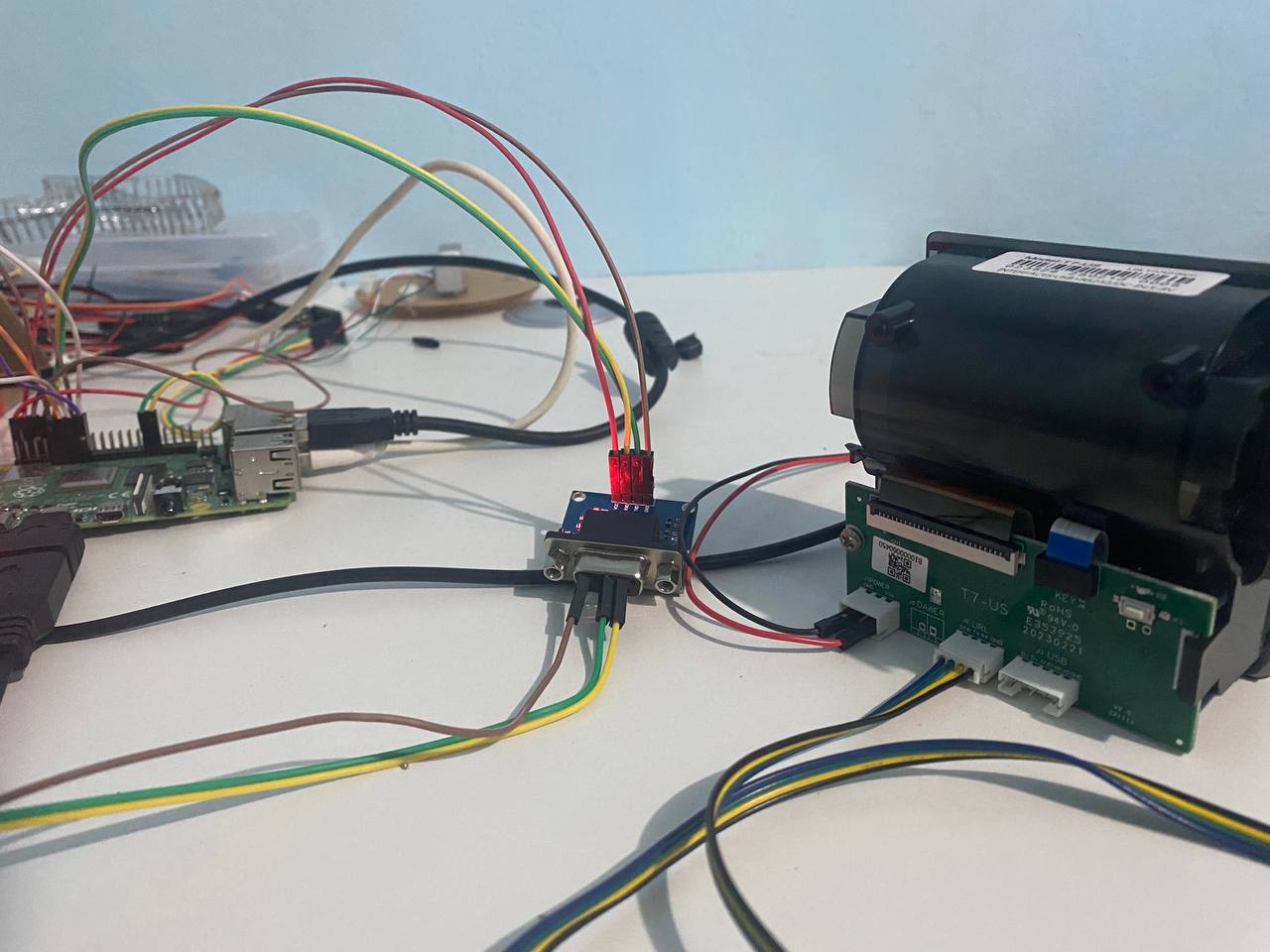
Overview
The T7-US thermal printer i bought has an USB and RS232 serial interface. This guide provides step-by-step instructions to set up and use the T7-US printer with a Raspberry Pi 4 Model B via a MAX3232 RS232-to-TTL converter.
Note: This documentation is part of my thesis research. I initially purchased the T7-US RS232 version due to a lack of research, thinking it would work directly with the Raspberry Pi 4. However, I later realized that the TTL version would have been a better choice… lesson learned!
Hardware I Used
- T7-US Thermal Printer (RS232 version)
- Raspberry Pi 4 Model B
- MAX3232 RS232-to-TTL Converter
- 9V 3A Power Adapter for the printer
- 12V DC Female Connector (used to expose 9V VCC and GND)
- Jumper Wires
T7-US Thermal Printer (RS232+USB)
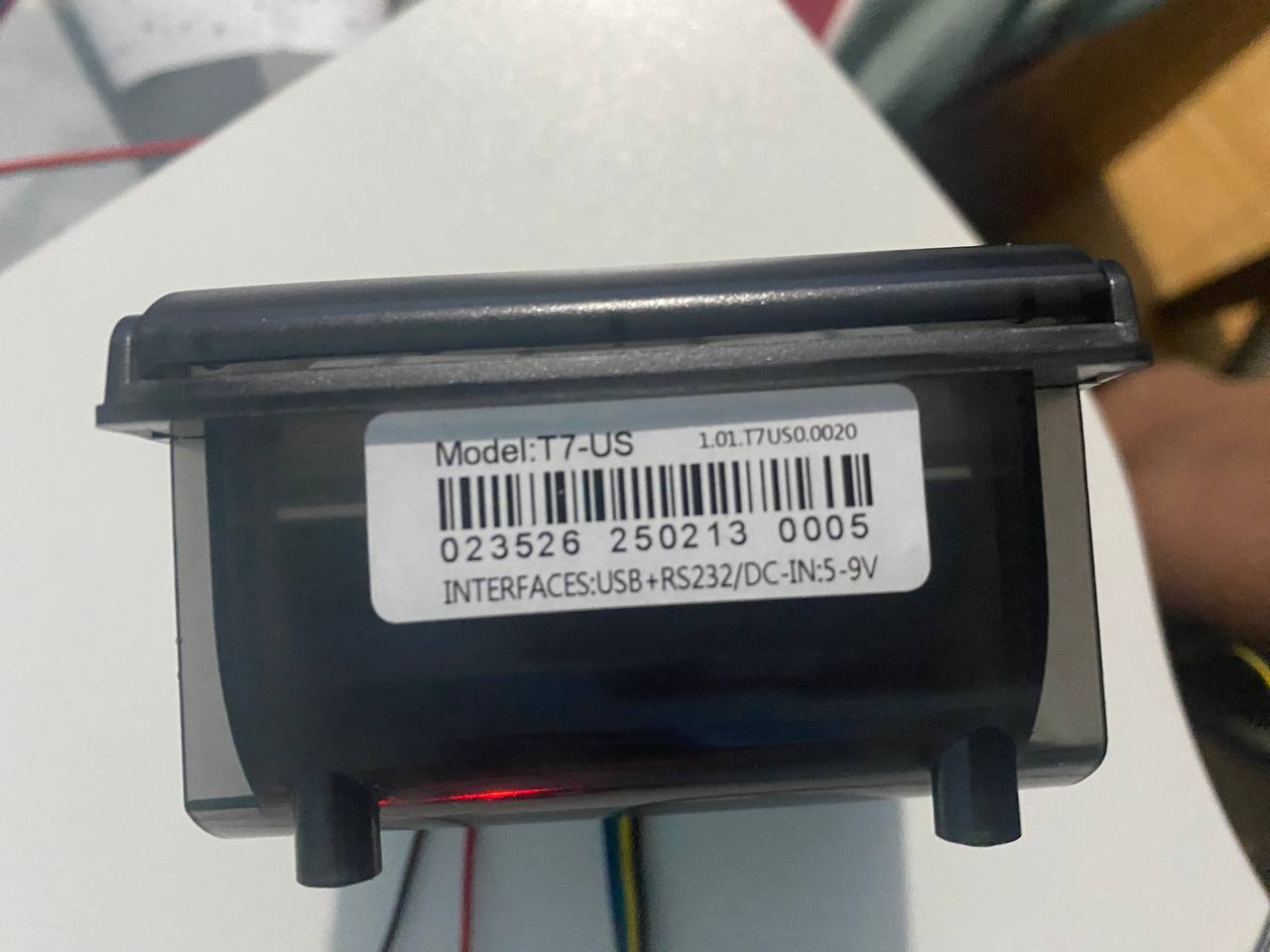
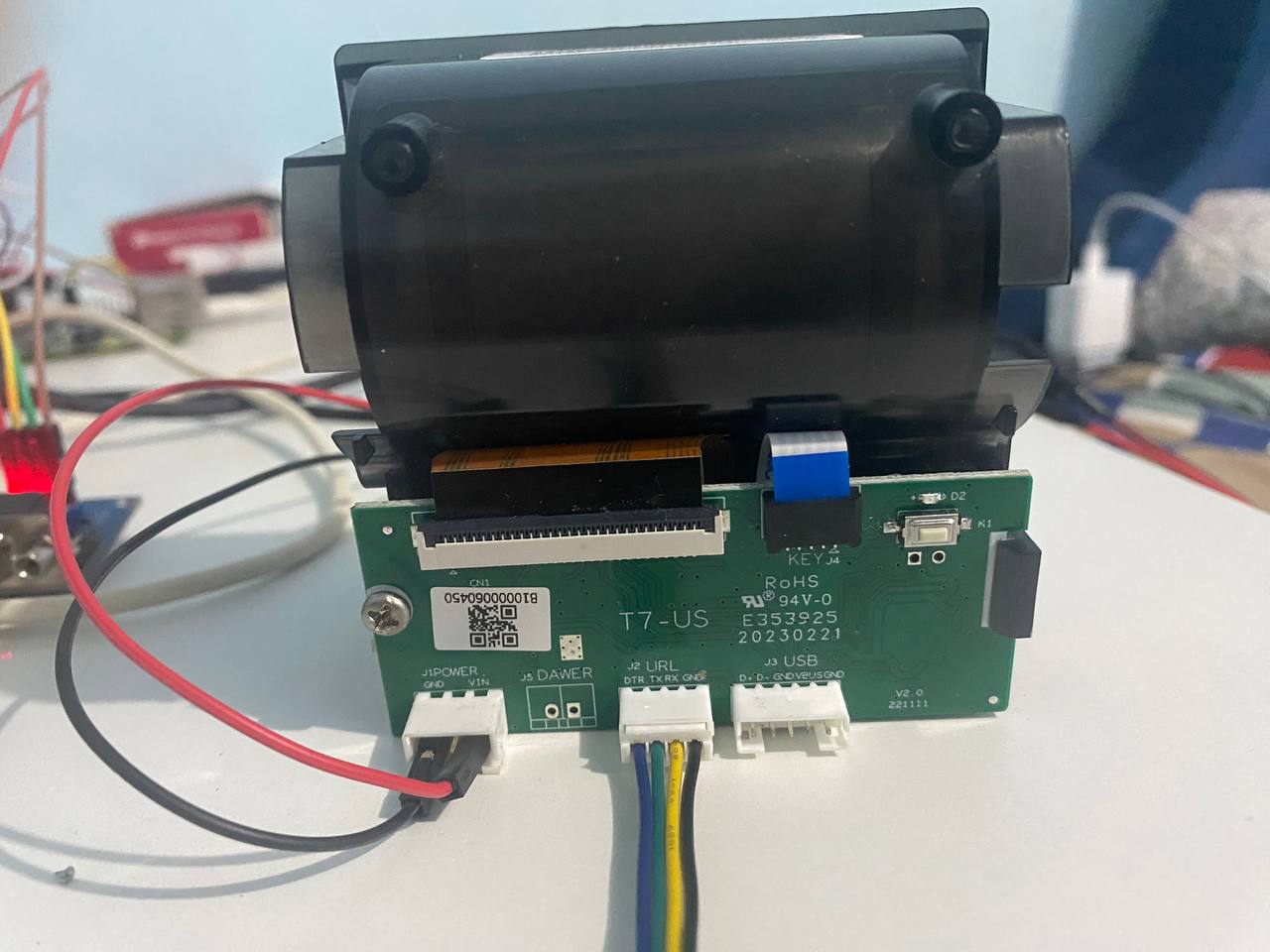
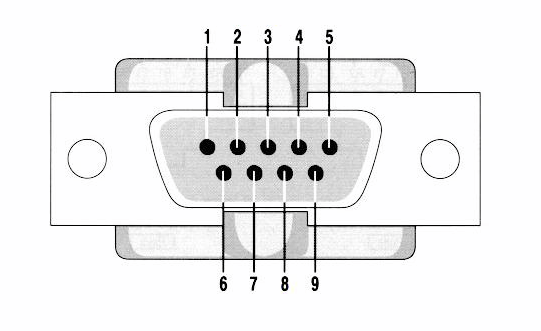
MAX3232 (RS232) DB9 Female Pin
Wiring Diagram
1️⃣ Raspberry Pi 4 ↔ MAX3232 (TTL Side)
| Raspberry Pi GPIO | MAX3232 Pin (TTL Side) | Description |
|---|---|---|
| GPIO 14 (TXD, Pin 8) | TXD | Pi TX → MAX3232 TX |
| GPIO 15 (RXD, Pin 10) | RXD | Pi RX ← MAX3232 RX |
| 5V | VCC (5V) | Power MAX3232 |
| GND | GND | Common Ground |
2️⃣ MAX3232 DB9 (RS232 Side) ↔ T7-US Printer
| MAX3232 Pin [DB9 Female] (RS232 Side) | T7-US Printer Pin | Description |
|---|---|---|
| TXD (Pin 3) | RX | MAX3232 TX → Printer RX |
| RXD (Pin 4) | TX | MAX3232 RX ← Printer TX |
| GND (Pin 1) | GND | Common Ground |
3️⃣ Powering the Printer
| T7-US Printer Pin | Power Source |
|---|---|
| VIN (9V) | 9V 3A Power Adapter |
| GND | Common Ground |
Thesis Project
This setup is part of my thesis project, documenting the integration of the T7-US Thermal Printer with the Raspberry Pi 4 using an RS232 interface and MAX3232 converter.
This post is licensed under CC BY 4.0 by the author.